🛠️ How to review a CDD decision
How to approve or reject a referred CDD decision, what happens after a rejection, and how to correct a decision that has already been approved
Accessing reviews that need to be approved
There are 2 ways to access the referred CDD decisions to be reviewed:
By clicking "Review Client" on the email notification that was sent, or
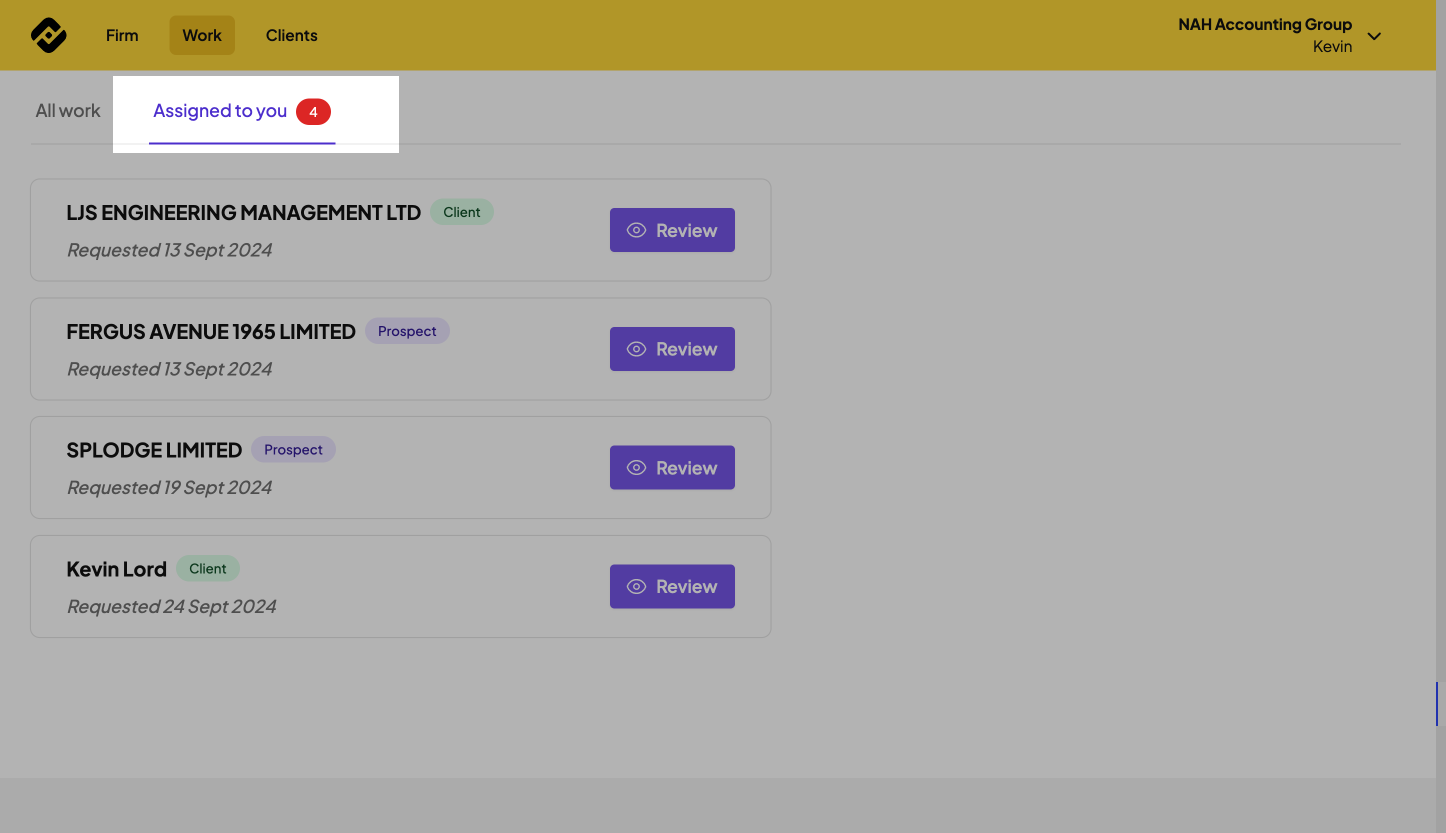
Log into Firmcheck, select the work tab from the top navigation bar and navigate to assigned to you where you can see a review button next to each client.
Reviewing a referred CDD decision
1⃣: Select the relevant client for review,
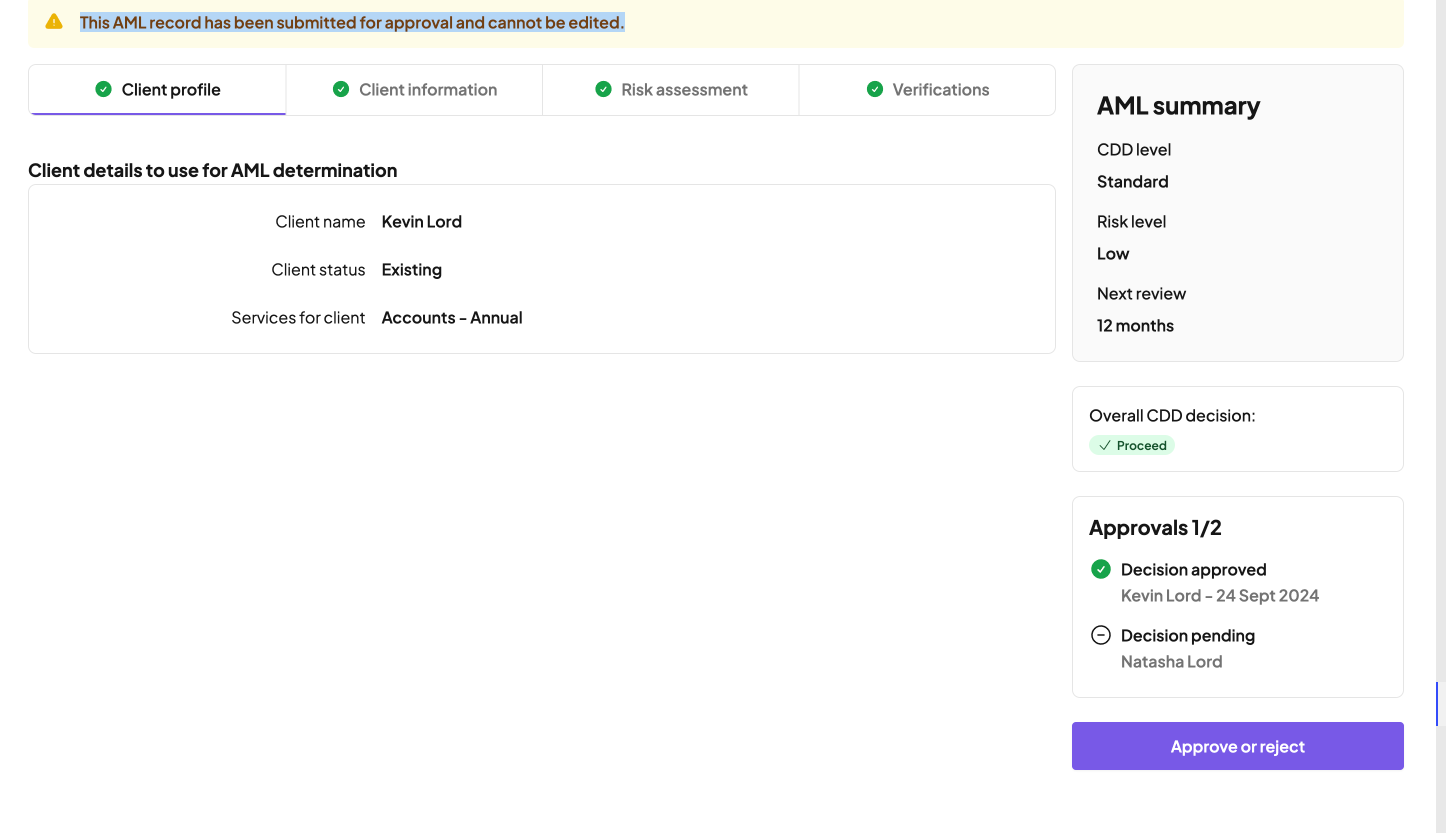
2⃣: Review the different categories relating to the client, e.g. profile and information,
3⃣: Once reviewed select the purple approve or reject button in the right-hand column
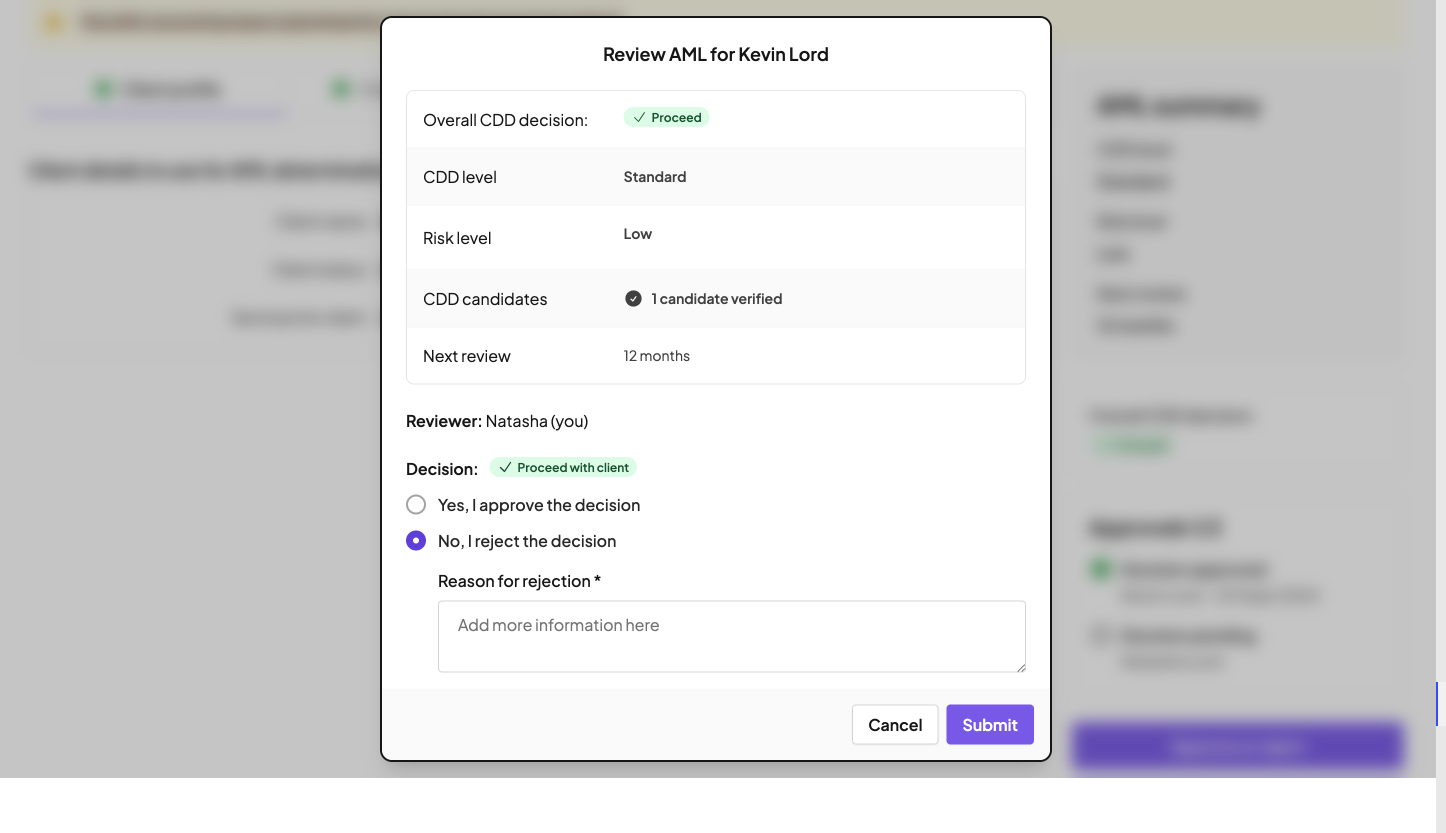
From here, the reviewer can select:
Yes, I approve the decision
This will complete the AML process for this client or notify the 3rd reviewer if this was initially selectedNo, I reject the decision
This will now ask the reviewer for additional information on the reason behind why the decision was rejected
Should I approve with notes, or reject?
If you want anything changed before the AML is finalised — for example a different risk level, a different CDD level, or an amended next review date — you should reject the decision and add your notes to the rejection.
Approving with notes completes the AML, so any changes you have asked for in those notes cannot then be applied to it.
When you reject a decision:
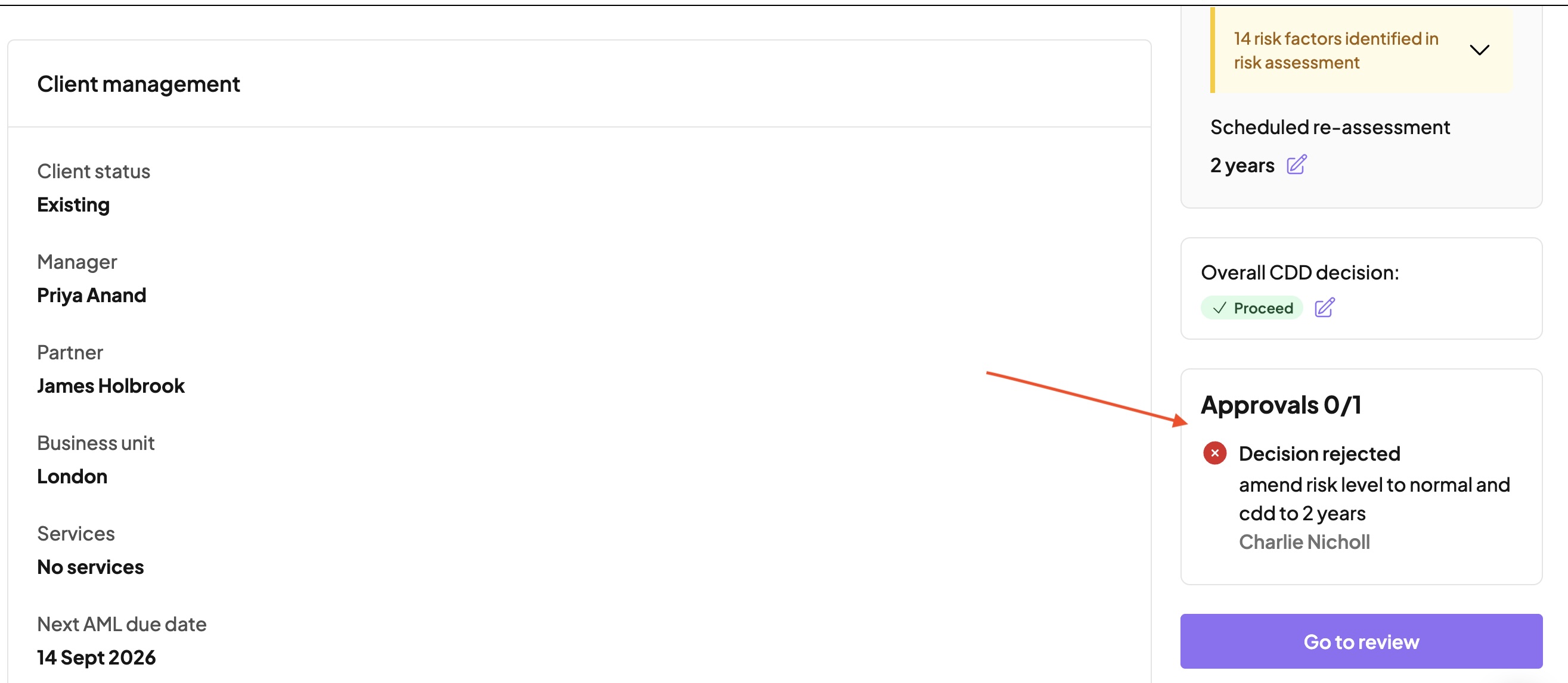
the AML is returned to the person who submitted it, along with your notes
they receive an email letting them know the decision was rejected, if they have that notification enabled
they can make the necessary changes and resubmit the AML to you for a final review
This is what the submitter sees on the client's AML once you have rejected the decision:
Making changes before the review is completed
If the person who submitted the AML realises something needs changing before you have reviewed it, they do not need to wait for a rejection.
As the reviewer, you can speak to them directly and ask them to retract the review request. They can then make the necessary edits and submit the AML to you for review once the changes have been made.
Correcting a decision you have already approved
Once all reviewers have approved, the AML is complete and the decision on it cannot be edited.
If you notice afterwards that something is wrong — for example the risk level or CDD level needs amending — complete an AML re-assessment for that client as soon as possible, and add notes to it explaining why the re-assessment was needed.
This keeps the full audit trail in place and makes it clear that the latest AML check is the relevant one.