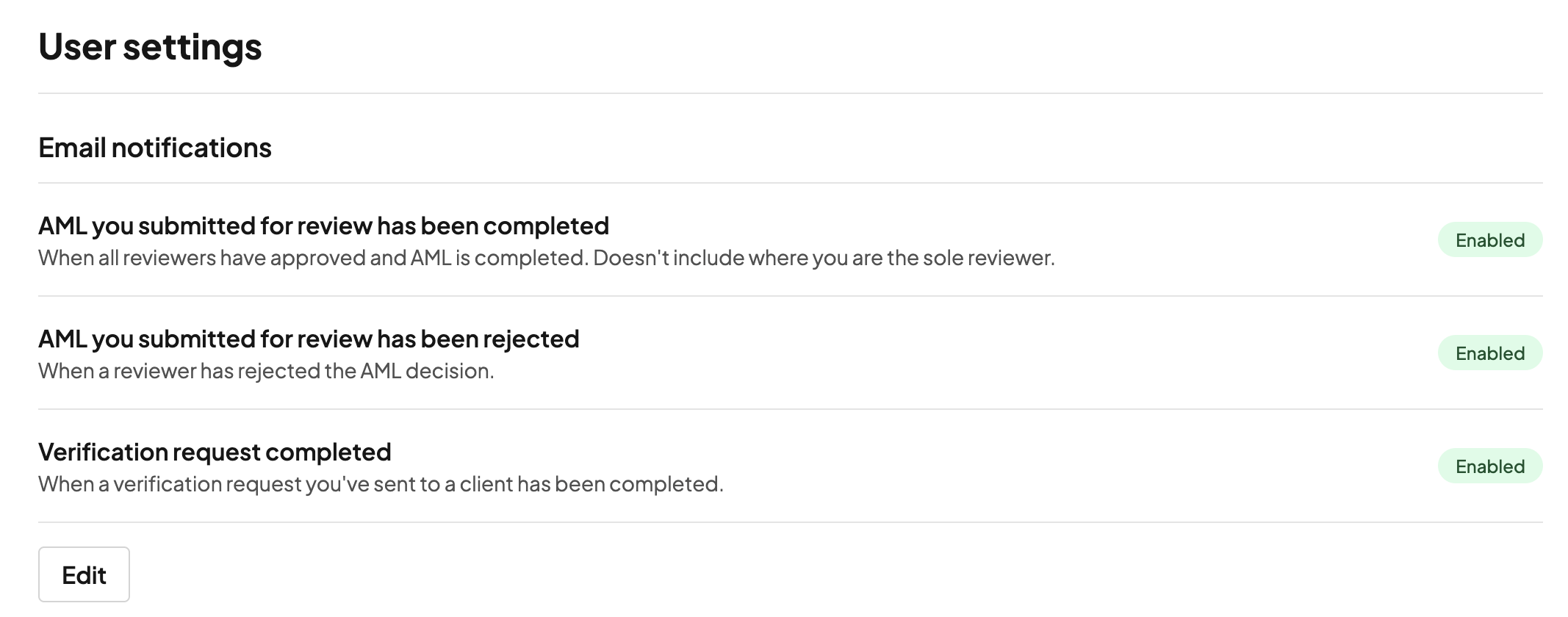
Available email notifications
There are three email notifications available:
1. AML you submitted for review has been completed
An email is sent to the person who submitted the AML for review when all reviewers have approved and the AML is completed.
This notification does not apply where you are the sole reviewer.
2. AML you submitted for review has been rejected
An email is sent to the person who submitted the AML for review when a reviewer rejects the AML decision.
This helps the submitter quickly identify that further action may be needed.
3. Verification request completed
An email is sent when a verification request you sent to a client has been completed.
This helps you stay informed when the client has finished the verification process.
Who receives these emails?
Email notifications are sent to the relevant staff member based on the action they took:
AML review notifications are sent to the person who submitted the AML for review.
Verification notifications are sent to the person who sent the verification request to the client.
Managing your notification preferences
Each staff member can choose whether they want to receive these notifications.
To update your preferences:
Go to User settings.
Find Email notifications.
Select Edit.
Enable or disable the notifications you want to receive.
Save your changes.
Changes only apply to your own notification preferences and do not affect other staff members.