🛠️ How to send biometric and cryptographic checks in bulk
Use Firmchecks bulk actions functionality to send checks to multiple clients at once
Bulk verification allows you to request identity checks for all relevant individuals, such as directors and people with significant control (PSCs), at once, saving time and streamlining your compliance process.
🏁 Before You Begin
To use the bulk verification feature, make sure that:
All your limited companies are added to Firmcheck,
Each relevant individual has an email address saved in their record,
Passport information is stored against the individual (either from a biometric check or a manually uploaded copy).

A cryptographic check can only be completed using passport data. This means a biometric check must be completed first, or the client’s passport evidence must be manually added before issuing the check.
✅ Requesting Bulk Cryptographic Checks
If you are an existing Firmcheck user and already have passport information saved against an individual (from a previous biometric check or uploaded copy), you can send a cryptographic check in bulk directly from the bulk import screen.
This allows you to request identity verification from all your clients at once, starting the Companies House ID verification process with minimal effort.
📍 How to complete checks in bulk
1⃣: Navigate to People > Actions > then click ‘Bulk send verifications’
2⃣: This opens the bulk verification window,
3⃣: From here, select and deselect individuals, narrowing down the list using our client filters,
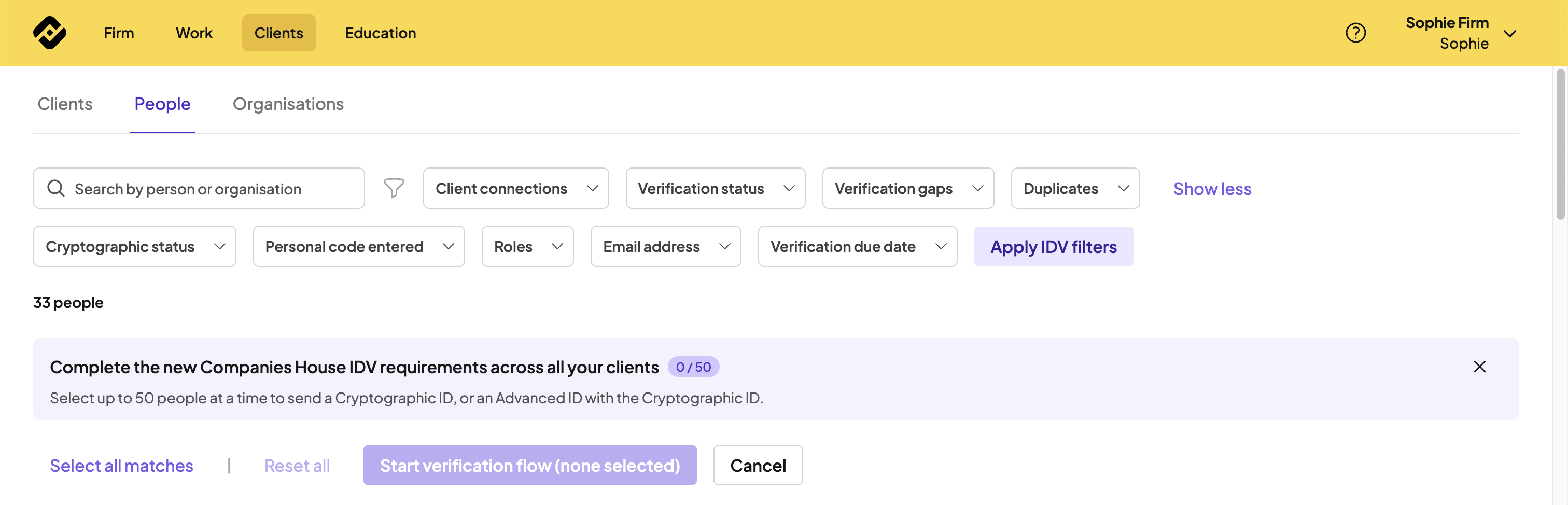
4⃣: Once you have selected the individuals you would like to send a check to, select start verification flow,
5⃣: This window will confirm the volume of checks being sent and the related cost.
6⃣: Once confirmed, select review, then send verification requests.

Our Advanced ID check (which is a biometric) is charged at £4.00+VAT per completed check. If the check expires, you are not charged for that check.
Our cryptographic checks are included within our Compliance plan.
Our cryptographic checks are included within our Compliance plan.
Sometimes identity checks can fail. Please refer to our help documentation to understand why this happens.
📊 Tracking Your Requests
You can monitor and review the status of all bulk verification requests from the Verification Requests tab. Here you’ll see the progress of each request and can manage follow-ups as needed.