Add to Watchlist monitoring in bulk
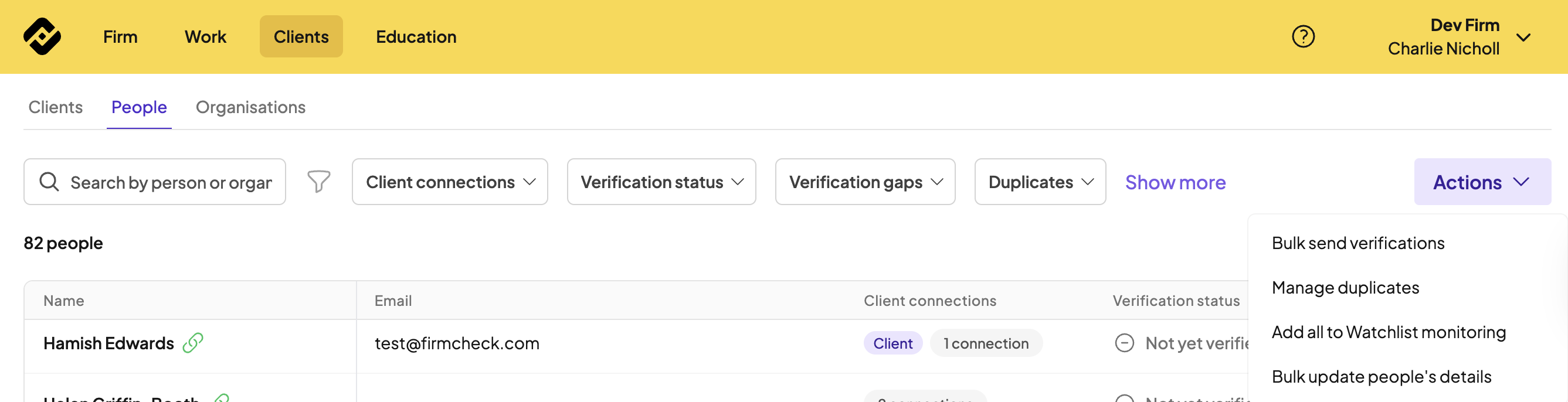
Navigate to the Clients>People page, then select Actions. Choose ‘Add all to Watchlist monitoring’ from the dropdown list.
Add an individual to Watchlist monitoring
1⃣ Find the individual’s profile page in-app
2⃣ Click the three dots in the top right of the page and add the individual to Watchlist monitoring

Watchlist monitoring view in Firmcheck
On the Work page, under the monitoring tab, you will see your list of people being monitored:
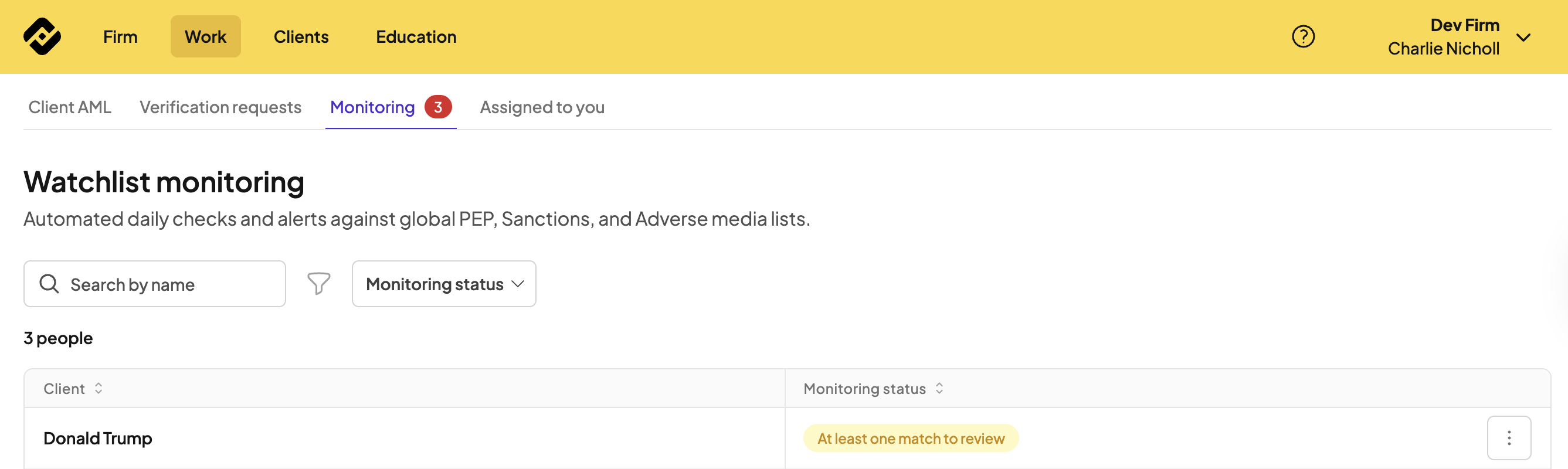
A check will be run daily on everyone in your Watchlist (usually overnight UK time), and any matches against the checks will be highlighted for review.